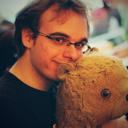
Photo of Jamie & Lion

The personal site of Jamie Knight, an autistic web developer, speaker and mountain biker who is never seen far from his plush sidekick Lion. View the Archive

Topics: Autism Development

IE6 as a disability

Accessibility, the process of making you site accessible to all, site statistics are not the defining factor, but doing things the right way. Well, we are lucky that in most cases accessibility and web standards go hand in hand but what about when they don’t?

Is there a disability which million of people worldwide have which wont benefit from liberal application of web standards? I think there is Its called Internet Explorer 6 .

Why should I consider IE6 as disabled.

In a nutshell a disability is when something or someone are lacking an ability. I know that is a gross over simplification, but stay with me a second, if we apply this idea to IE6 then maybe fixing its bugs wont seem so painful.
IE6’s bugs are notorious. Ask any decent web developer what they think of IE6s handling of anything from padding on floats to jogging text and you may end up comforting a man who has reached his end. Recently (as you may have noticed) I updated this site with a new design. One of the things which I started out with was to markup and style the site using firefox as my benchmark. I had several reason for doing this (not least the excellent firebug ) and I know I am not alone in doing this. I then launched the site without even looking at it in IE6.

Then I got a comment from someone “Take a look in IE6� so I pointed my newly installed IE4OSX at the site and began to bug fix. While doing this I was thinking about how much effort this was taking, I was growling about how much work I needed to put in because IE couldn’t do something properly.

This made me think of how much effort I can cause people when I cannot do something properly .

Thinking about this while moving about padding and margins I started to feel less hate for IE6 and more an understanding for its bugs.

Don’t get me wrong, IE6 is a very bad piece of code, and other web browsers which support web standards are certainly the future. But I found it interesting to think of IE6 as disability rather than simply a tool.

So what now?

So with these thoughts running around my head I thought I would do a couple of things. First of all I have adjusted my attitude towards bug fixing for IE6. I still will not use anything proprietary but I am a lot more happy to sit and play with values in the CSS for a couple of hours to get basic display in IE6 working.

I would urge you that next time you find yourself getting frustrated with IE6 to wonder if your frustration is the same as that of the user of the humble screen reader.

So what do you think? Would you consider IE6 as a disability? Do you think I am wrong to say that a “tool“ is disabled? Let me know in the comments!

Published: 16 December 2007 | Categories: , Permalink

Welcome to V5.

Its up, your even looking at it. May I introduces jkg3.com v5. Secured By Lions

If you have been following this site for a while you will know that there is a pattern to the design refreshes and updates. Typically there will be a new design update (like this one) every year or so, and there will be refreshes or slights changes every 3-6 months. In this article I am going to talk about what I feel are the important choices I have made in this design and highlight some areas which I think requires some explanation.

Is it a cloud?

The design of this site has been evolving for quite a while, anyone who is unfortunate enough to be on my MSN buddy list will have been berated with various designs and asked what they hate. For this design I took what worked from the previous designs and mixed them up with some goals.

I will talk about the goals in more detail later. But for now I will sum up what the design had to do. It had to: Be easy to read, Reflect my personality and be distinctive. So how does this relate to the “cloud� Look?

The cloud part is representative of me or my world. As most people know I have autism, and I often find that “my world� is different to most peoples. This world tends to be away from the world and in this design it is represented by the big cloud which contains all the content.

If you think about going from the top to the bottom. First you have the large sectional links, these are outside of the cloud and provides links to organise it for the visitor. Below this is the introduction to the site and myself. This parts acts as the link between the outside and the inside, and it of course is guarded by Lion.

At the very bottom are a few of the things which are important to me. I will let you deicide what they mean.

Links and usability

One of the goals of this side was readability, to me this also relates to ease of use. Part of this was how to identify links to other places of the site and how to communicate this to the user.

When thinking about this, I thought of two things, and how or why they work together. Before you can use a link I have to identify it as one to you. To do this I am using text colour and feedback. Inside the content area of the site (my world) all links are in one colour. The aim is that this colour become associated with links by the user and they know what to expect. This is a good start but something is missing. The user needs some form feedback to confirm that this is a link . My method for this is to change the colour of the text and the colour of the texts background. More specifically the text colour changes back to the default, but the background changes giving the feedback for the user to be able to confirm it is a link. People have commented that this helps the ease of use, and in turn the readability.

Be easy to read.

I have a problem with my writing, I find it hard to keep things short! So if I want this content to be useful to people it has to be readable. There are a couple of factors which I have taken into consideration when designing for readability.

In this design I have a consistent structure. This is important because while reading an article I don’t want to distract the reader away from the content. The text sites in its column and the column has a clear space between it and the rest of the content. I am also using a lot of space between the lines, this helps to stop the text from merging and brings some definition to each line of text.

Be distinctive.

I like to think of myself as a pretty distinctive person, for this site I wanted to do something which reflected this distinctiveness and was original.

The inspiration for the design came form a number of places, examples include some of the excellent Skype Branding , Vector illustrations on deviantart and even my own attempts to recreate them . Mixing this inspiration with the things I have learnt from the many design experiments I have created my new site and (hopefully) achieved some of my goals.

So with all that said, what do you think of this version? Do you find the link text easy to use, what are your thoughts on the design?

Published: 11 December 2007 | Categories: , Permalink

Meet the new Cat: Leopard

In case you didn’t know, apple released a new operating system for their Mac computers recently. Its called leopard and its quite good!

Of course, as a perfectly reasonable human being I decided I would wait a few weeks. Naturally less than 16 hours after leopard hit the web store I hit the buy button.

A few days later, a shiny box, filled with shiny disks arrived. As my whole life pretty much lives on my macbook it was very important this upgrade went well. So I hatched (then double checked online) a plan.

Step 1: Backup. Backup. Backup.

I am paranoid. So one backup, on one drive was not enough. Luckily I have two external drives so I could put a backup on each. I had a drive which was bigger than my boot drive, and a drive which was smaller. So it seemed like a good Idea to put a clone on the large drive and put a 2nd backup of all the important stuff on the other drive.

For the complete backup, it seemed wise to go for a complete clone solution. With this in mind I went and downloaded myself a copy of Carbon Copy Cloner . This fantastic little application makes an exact copy of you drive in a couple of hours. As an extra boost this copy is also bootable.

With my clone made, it was time to think about the safest route for the rest of my data. With the other drive I thought it would be a good idea to use the iBackup app to grab all my settings and data apart from my music and movies. So with both a bootable backup, and spare copy of the important stuff, it was time to give the upgrade a go.

Step 2: The leopard Awakes.

(i)Backup in hand, it was the time to press the magic button and unleash the leopard. So, I stepped through the menus, Making sure to select “erase and install� and the next thing I knew it was verifying the disk and getting ready to go. At this point I got a phone call from alun rowe over at pentangle . This was two things. 1, well timed and 2, interesting.

So while leopard was installing, I was talking on the phone. Almost an hour later alun got home, and I had a new OS. I selected my options and the install was done.

After doing this I created a new account and the machine let me in for the first time. I was up and running. I didn’t have to make this account, but I though it was possibly a good idea to do this just in case the account migration process went wrong.

Step 3: Migration Assistant

So, with leopard up and running it was time to import my user account. To do this I plugged in the external drive with my clone on. I then went to the utilities folder and started the Migration Assistant. I then selected my user to important and the migration was done.

So, the total time for this upgrade was just short of 2 hours. I had a couple of problems with migrating my data (you have to select the internel volumes option on Migration Assistant) and an it took me longer than expected to set up my modem. However, as my HSDPA modem is not that common I do not see this as an issue.

Overall the upgrade has been great, some of the new features are well worth the time and cost to upgrade. There are tons of clever new things but thats another post another day!

Published: 31 October 2007 | Categories: , Permalink

Older Articles

Newer Articles